₦5,000 ₦3,000
Excel (.xlsx) record book and printable Word (.docx) forms, 2 files
- Instant download after payment
- Download link sent to your email
- Edit and reuse for your business
Look inside the pack
Real pages from the files you download. Tap an image to view it larger.
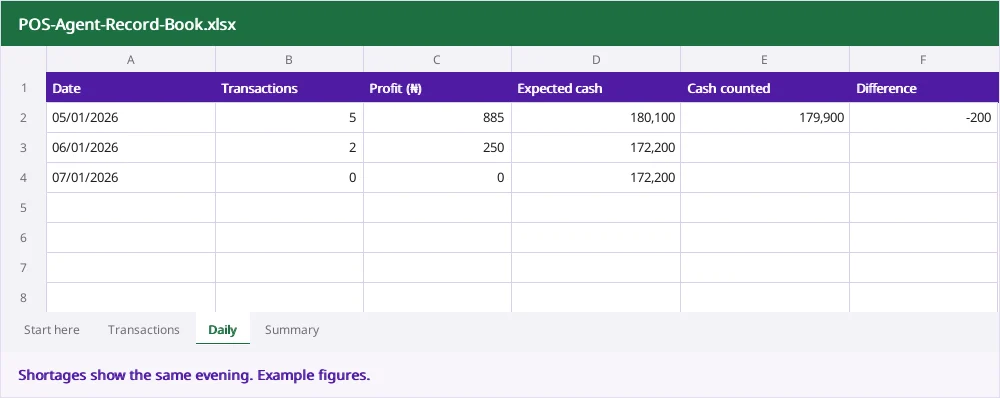
Many POS agents work hard all day and still cannot say how much they made, or why the cash is short at night. This record book fixes that. Record each transaction once and it shows your profit, how your cash and wallet should balance, and any shortage, every single day.
What it does
- Works out the profit on each transaction from your charge and the terminal fee
- Shows how withdrawals, transfers, deposits, bills and airtime move your cash and wallet
- Compares expected cash and wallet balance with what you actually count each evening
- Gives your monthly profit by transaction type and your net profit after expenses
Printable forms included
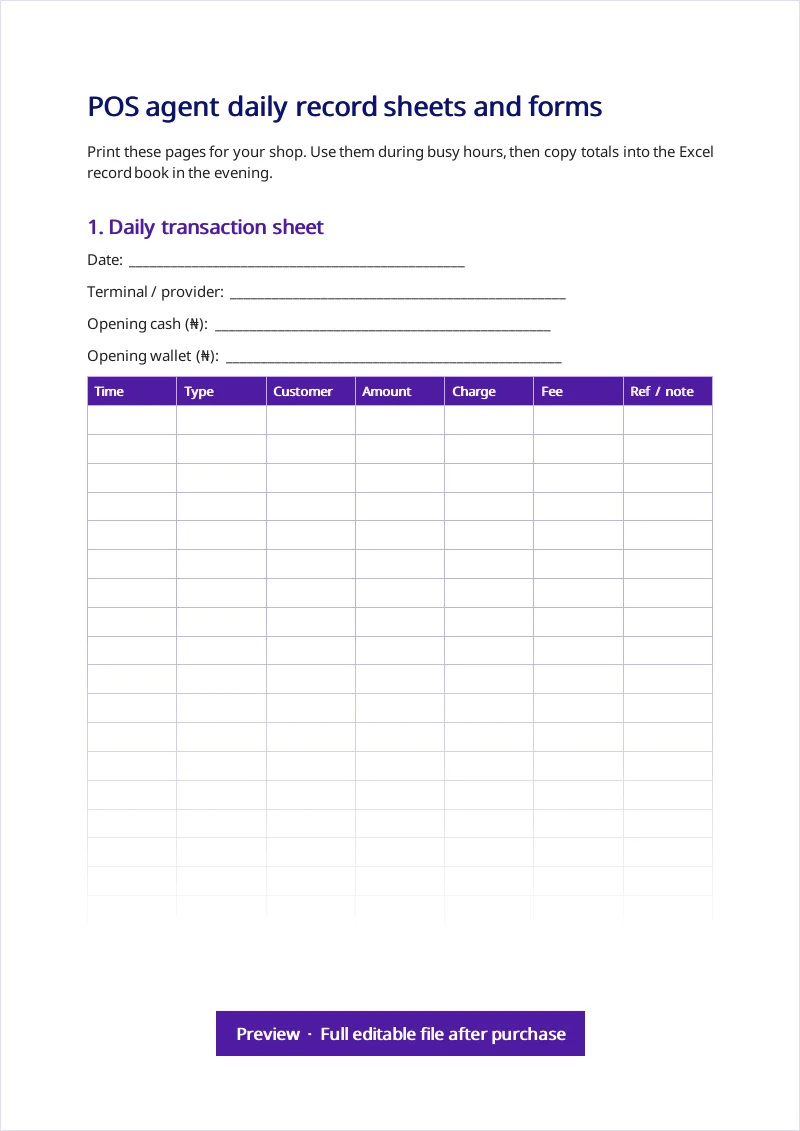
Daily transaction sheet for busy hours, cash count sheet, a charges board to display at your stand and a failed transaction form that records the RRN for reversals.
What is included
- Transactions log for 500 entries with automatic profit, cash and wallet movement
- Daily balance sheet that shows cash and wallet shortages the same evening
- Monthly profit summary by transaction type, with expenses and net profit
- Printable daily transaction sheet and cash count sheet
- Charges board to display your prices
- Failed transaction and reversal form
- Tips for running a safer, more profitable POS business
Who this pack is for
- POS agents and money point operators
- Shop owners who run a POS stand alongside their business
- Owners with staff or attendants running the POS for them
- New agents who want to start with good records
How to use the POS Agent Business Record Book (Excel + Printable)
- Enter the first day of the month and your starting cash and wallet balance on the Daily sheet.
- Record every transaction on the Transactions sheet, or on the printable sheet during busy hours.
- Each evening, count your cash and check your wallet and type both into the Daily sheet.
- At month end, add expenses on the Summary sheet to see your net profit.
Why not just use a free template?
Most POS record books only list transactions. This one also reconciles cash and wallet every day, which is how you catch shortages, staff errors and failed transactions before they become big losses.
Questions
Does it work if I have more than one terminal?
Yes. Use one copy of the workbook per terminal or attendant, or add the terminal name in the note column.
Can my attendant use it on a phone?
Yes. It works in Excel or Google Sheets on Android. Many owners have the attendant fill the printable sheet and enter totals in the evening.
Does it include charges?
You set your own charges. The charges board helps you display them, and the record book uses whatever you enter.
How do I get the files?
Right after payment you see download buttons on this page, and we email you a download link that works for 60 days.
Can I edit the templates?
Yes. They are normal Word and Excel files. Add your logo, business details and change anything you need.
Is this legal advice?
No. These are general templates for Nigerian businesses. For important or unusual matters, have a lawyer or accountant review your final documents. Book a consultation if you want us to help.
I paid but did not get my files.
Check your spam folder first, then message us on WhatsApp with your payment email.
General templates for information and convenience, not legal, tax or accounting advice.
Customers also buy
Small Business Bookkeeping & Inventory Workbook (Excel)
Record sales, stock, expenses and debtors in one Excel workbook. See monthly profit, stock value and what to reorder automatically.
₦4,500
View packCooperative Society & Ajo/Thrift Pack
Bye-laws, membership and loan forms, meeting minutes and an Excel workbook for savings, loans, repayments and ajo rotation. For staff cooperatives, thrift and esusu groups.
₦5,000
View packBusiness Plan and Loan Proposal Pack
A guided business plan template, 3-year financial projections workbook, loan application letter and one-page pitch summary for Nigerian businesses.
₦5,000
View pack